
What makes the Paper Pro unique?
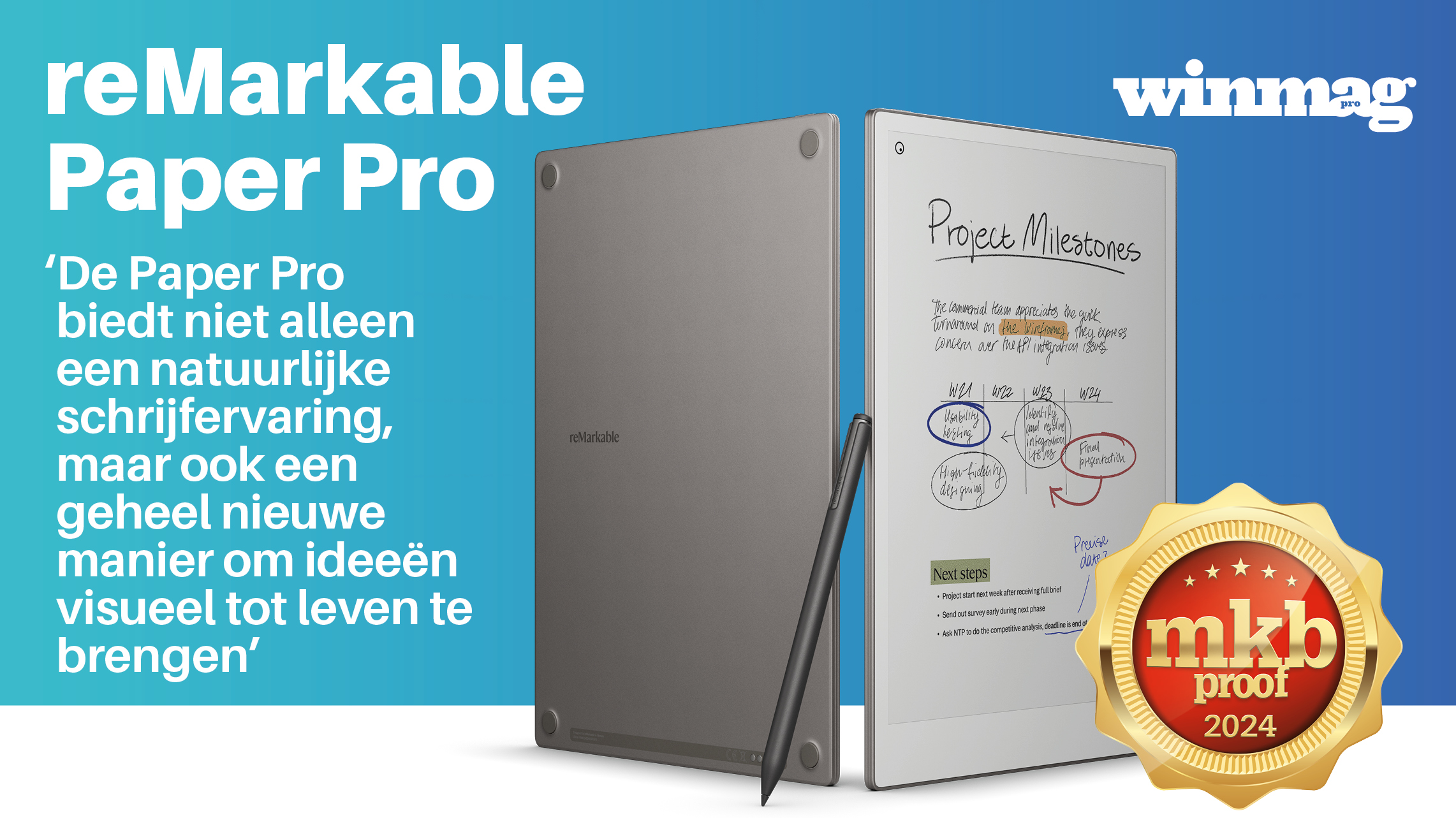
The reMarkable Paper Pro builds on the strong foundation of the reMarkable 2 but introduces groundbreaking improvements that elevate the device to a new level. It uses a modified E Ink Gallery 3 display, which naturally displays colors like red, green, and yellow, for example, when reading comics. Unlike LCD or OLED screens, this display works with physically moving color ink, making it less bright but much easier on the eyes. Although the technology requires more frequent screen refreshes, it offers an impressively natural reading and writing experience.
Additionally, the Paper Pro now offers the ability to read and edit PDF files and ePUBs in both black and white and color. This focus on productivity and ease of use makes the device ideal for professionals. Another key innovation is the handwritten text conversion, allowing notes to be easily converted into digital text.
Who is the Paper Pro ideal for?
The Paper Pro is designed for a wide range of users and applications:
- Knowledge workers: Thanks to seamless support for reading and editing PDFs, reports and presentations can be adjusted directly.
- Creatives: The tablet offers a unique screen sharing option, allowing you to share your screen while drawing on it. This makes it ideal for brainstorming sessions and collaborations. With Wi-Fi and the reMarkable app, you can easily cast content to a connected device.
- Readers: The Paper Pro supports a Chrome extension that allows you to send articles directly to the tablet for later reading and annotating.
- Comic and coloring book enthusiasts: The color display of the E Ink Gallery 3 display provides a solid experience for comics and visually rich content.
Comparison with competitors: why choose the Paper Pro?
Compared to devices like the iPad Air and the Onyx Boox Tab Ultra, the reMarkable Paper Pro offers a unique focus on productivity without distractions. Without access to social media or games, the Paper Pro is ideal for users who want to concentrate fully on writing and reading. The Canvas Color display offers a natural writing feel that iPads with their glass screens cannot match. Moreover, the battery lasts up to two weeks, compared to just one day with intensive use of an iPad. For users who prioritize an intuitive writing and reading experience without distractions, the Paper Pro is an excellent choice.
The Onyx Boox Tab Ultra offers more versatility thanks to its Android ecosystem and access to the Google Play Store, but this comes with a higher price and a more complex ecosystem that can more easily cause distractions. While it may be a decent option for users looking for more app integration, it lacks the soothing writing experience and lower latency of the Paper Pro.
For professionals who prioritize word processing, annotating PDFs, and reading, the Paper Pro offers the perfect balance between simplicity, focus, and technology. Users who need more app integration or a broader software offering may consider alternatives like the Onyx Boox Tab Ultra or the iPad Air, but the Paper Pro remains the best choice for professionals and creatives who value simplicity and focus.
Sustainability and battery life in the spotlight
The Paper Pro is designed not only for productivity but also with sustainability in mind. The ultra-thin casing of 5.1 mm is made of anodized aluminum, a material that is light, strong, and recyclable. The device has an impressive battery life of up to two weeks, drastically reducing energy consumption compared to traditional tablets like the iPad. This makes the Paper Pro not only a smart choice for your workflow but also for the environment.
By using a Canvas Color display, which works with physically moving color ink instead of energy-intensive LCD or OLED technology, the Paper Pro offers a comfortable and energy-efficient experience that is perfect for long days of reading, writing, and annotating.
Price
The Paper Pro is available starting at €579 including Marker or €629 with Marker Plus. Optional accessories like the Book Folio are available starting at €89. Although the price is higher than that of traditional tablets, the Paper Pro is cheaper than the iPad Air (starting at €719) and the Onyx Boox Tab Ultra (€649.99). This makes the Paper Pro a more affordable alternative for professionals who prioritize productivity and focus without compromising on quality and essential features. The premium features, such as the unique color screen and long battery life, justify this investment.
Points of attention
The Paper Pro has some limitations and thus points of attention, but these are compensated by advantages that align with the needs of specific users:
- Screen refresh: the screen refresh is slower than that of traditional tablets, especially when displaying colors. This may take some getting used to for users accustomed to traditional tablets. However, this is compensated by the Canvas Color display, which is designed to provide a soothing, flicker-free reading experience. This makes the device extremely suitable for long-term use and prevents tired eyes.
- Limited ecosystem: the lack of a comprehensive app store may be seen as a disadvantage by users looking for a broad ecosystem. At the same time, this minimalist ecosystem is precisely an advantage for those who want to avoid distractions and focus on writing and reading, without access to social media or games.
- Color options: The color display is more limited compared to LCD or OLED screens. However, the Canvas Color display offers all the functionality needed for annotations, color coding, and creative work. Additionally, the display consumes significantly less energy, extending battery life up to two weeks and contributing to a sustainable workflow.
Conclusion
With the ReMarkable Paper Pro, you get a powerful digital tool that combines productivity, focus, and sustainability. Thanks to the intuitive Canvas Color display, long battery life, and minimalist design, the device offers an ideal solution for professionals and creatives who want to work more efficiently without distractions. The Remarkable Paper Pro elevates writing and reading experiences to a new level and is therefore a smart investment for those who value simplicity and technology.
More info remarkable.com